
X-Class 60V: Display OverviewUpdated 9 months ago
Display Overview -

Keypad Overview -
The Keypad has 3 buttons: "Power", "+ (plus)", and "- (minus)".
As shown in the image below:

Key Functions -
Turning on the display:
1. Make sure the main/battery power switch is on and illuminated.
2. Long press the power button on the display keypad for 3 seconds. The display will then turn on.
Walk assist -
- Walk assist provides a small amount of motor power at low speeds to help at times when you are walking with the bike. This can be helpful in certain situations like walking the bike up a driveway or hill. Follow these steps to use Walk Assist properly & safely:
1. Set pedal assist level to 0. This disables the throttle to prevent accidental throttle activation and subsequent loss of control of the bike.
2. Hold down the - key while pushing the bike to activate Walk Assist mode.
Speedometer Mode and TRIP/ODOMETER display:
- Press the power button briefly to cycle through the speedometer modes (normal, MAX, AVG)
- Pressing the power button a third time will change the TRIP display to ODO. '

Battery Charge Level:
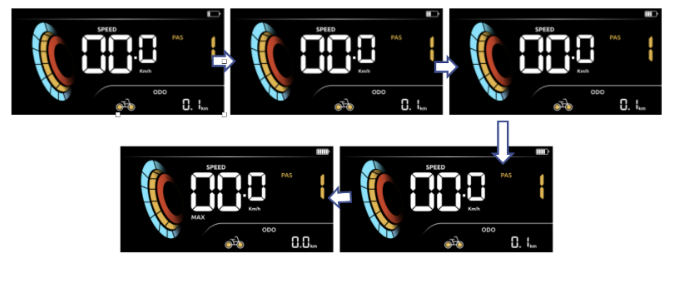
- When the battery is fully charged, all five power lights will be illuminated. If the battery starts to flash, it indicates that the voltage is low and requires immediate charging. Please refer to the figure below for clarification.
Error codes:
- If the electric control system of the electric vehicle malfunctions, the display will automatically show an error code. Please refer to the list below for detailed definitions of each error code, as illustrated in the figure that follows:

Advanced Settings:
More information on the advanced settings can be found in this article.
- Each of the settings shall be performed in the vehicle boot state, still and speed 0:
If you have any additional questions please do not hesitate to reach out to us through our contact form, here.